Ngl.add_text
Adds a text string to an existing plot.
Prototype
txt = Ngl.add_text(wks, plot, text, x, y, res=None)
Arguments
wksThe identifier returned from calling Ngl.open_wks.
plotThe id of the plot which you want to add the text strings to.
textThe text string to add.
x, yThe x, y coordinates of the text string.
res=NoneAn (optional) instance of the Resources class having TextItem resources as attributes.
Return value
txtA PlotId representing the text added.
Description
This function adds a text string to the requested plot. plot is the value returned from a previous call to one of the PyNGL plotting functions, like Ngl.xy, Ngl.contour_map, etc. x and y are scalars defining the coordinates of the text string, and resources can optionally contain an unlimited number of attributes that are TextItem resource names and their values. Note that x and y must be in the same data space as the data in plot.
Note: unlike Ngl.text, this function does not actually draw the text. It only attaches text to the given plot. You need to call Ngl.draw on plot in order to see the plot with the text string added.
If you plan to resize your plot or use it in a call to Ngl.panel, then it is better to use this function (rather than Ngl.text) because the text will automatically get resized with the plot.
If you call this function multiple times, you should use a unique variable to hold the id returned.
Missing values are not allowed in this function.
See Also
Examples
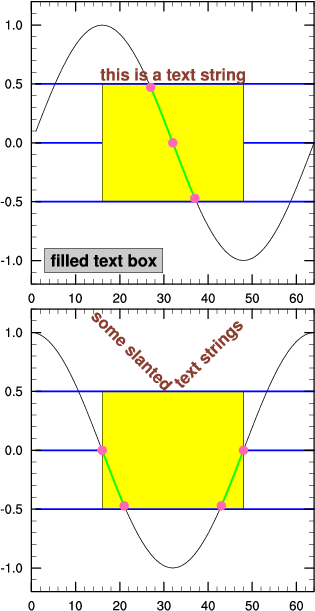
See the example xy2.py and its its output.