
Ngl.open_wks
Opens a workstation on which to draw graphics.
Prototype
wks = Ngl.open_wks(type, name, res=None)
Arguments
typeThe type of workstation to open.
nameThe name of the workstation.
res=NoneAn (optional) instance of the Resources class having Workstation resources as attributes.
Return value
wksA PlotId representing the workstation created.
Description
This function creates a workstation for drawing graphics, given a workstation type and name.
A workstation type can be an NCGM file ("ncgm"), a PostScript file ("ps", "eps", or "epsi"), a PDF file ("pdf"), or an X11 window ("x11"). The name will be used for the ouput file (if applicable) and with the appropriate extension appended.
Three new workstation types have been added in PyNGL V1.3.0b4 and later. These are based upon an experimental graphics driver, and are considered beta-level capabilities. The workstation types are "newps" for postscript, "newpdf" for PDF, and "png" for PNG output. The new "newpdf" workstation generally produces smaller output files than the "pdf" type.
In V1.3.0b4 and later, you can now specify a paper size, or a paper width and height when you open any one of the PS or PDF workstations:
   wks_res = Ngl.Resources()
   wks_res@wkPaperSize = "A4"
   wks = Ngl.open_wks("newpdf","example",wks_res)

   wks_res = Ngl.Resources()
   wks_res@wkPaperWidthF  =  8.5  ; in inches
   wks_res@wkPaperHeightF = 14.0  ; in inches
   wks = Ngl.open_wks("ps","example",wks_res)
If a resource file name.res exists, it will be loaded. name can have a directory path as part of its string if the resource file you want to load is in a separate directory from where the NCL script resides.
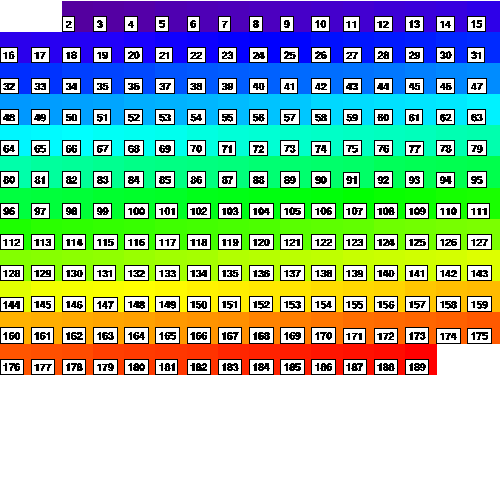
The default color map associated with a workstation is "rainbow". If you want to change this, you can set an attribute of type called wkColorMap to one of the other predefined color maps, or you can create your own.
By default, since nglMaximize is True, the orientation of the plots for PS/PDF output will be whatever orientation best fits the output paper size. If you want to force either portrait or landscape mode, do the following:
   wks_res = Ngl.Resources()
   wks_res.wkOrientation = "landscape"
   wks = Ngl.open_wks("ps","example",wks_res)
You can have up to fifteen PostScript workstations open at one time, but you can only have one NCGM or PDF workstation open at one time.
See Also
Ngl.frame, Ngl.clear_workstation, Ngl.change_workstation, Ngl.update_workstation, Ngl.draw_colormap, Ngl.retrieve_colormap
special resource: nglAppResFileName
Examples
For examples on how to use Ngl.open_wks, see most any of the PyNGL examples, like ngl01p.py.